

FMDiff 2.0
FMDiff Compares FileMaker Pro Files And Lists Differences
Program info
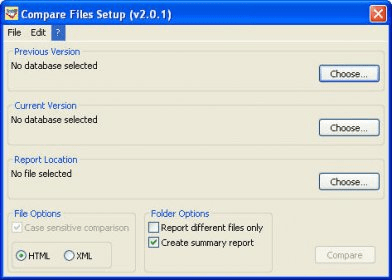
FMDiff is a stand-alone application (Windows and Mac Universal Binary) that does not depend on other applications, plug-ins, or a Database Design Report (DDR). It reads the original files, that's why it is so fast. Open FMDiff and drag the files to compare onto its window and click Compare. Seconds later your browser shows the difference report and all file information. Files of several hundred megabytes take a few minutes.
Details
Extensions

No information available
The data will be available later.Awards

Related software

Recovers deleted files emptied from the Windows Recycle Bin.

Search and recovers accidentally deleted files.

Will copy files from newly inserted flash cards to you computer.
Related stories
See all
The Grandfather-Father-Son backup strategy may feel cumbersome at the outset, but it does the job of keeping your data save. Let's see how it works, and what solution enable it.

Losing data for whatever reason is always annoying, to say the least. Backing up is the solution; we've picked 6 providers that offer inexpensive personal cloud backup services.
Free backup tools for Windows aren't rare, but finding one that fits your bill may take several tries. Here is a small guide that'll make things easier.


Comments